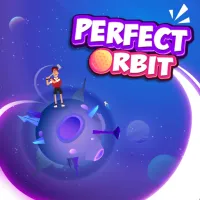












Perfect Orbit
Overview
Welcome, space‑pilot! Perfect Orbit is the crown jewel of a family of brain‑twisting titles that includes the match‑3 puzzler Blendrix, the frantic stacker Stack Rush, the defensive classic Rocket Fortress, and the high‑octane shooter Planet Buster. Where those games test pattern recognition, reflexes, or strategic placement, Perfect Orbit puts the laws of physics front‑and‑center. Your mission? Guide planets, satellites, and experimental spacecraft into flawless, collision‑free orbits using only gravity, momentum, and a handful of special abilities. This guide walks you through the game’s lore, core mechanics, proven strategies for newcomers and veterans, and the hidden features that turn a good run into a perfect one.
Game Background
Perfect Orbit was born from the developers’ fascination with real‑world orbital mechanics and their desire to make those concepts accessible to gamers. Set in the sprawling Celestial Archive, a research station orbiting a dying star, you assume the role of a junior orbital engineer tasked with stabilizing a chaotic system of newly discovered bodies. Each level represents a different “experiment” in the Archive’s simulation suite, gradually introducing new physics elements—gravity wells, black holes, wormholes, and even exotic matter fields.
The game’s design philosophy mirrors its siblings: Blendrix teaches you to think several moves ahead, Stack Rush rewards quick pattern recognition, Rocket Fortress emphasizes placement and timing, and Planet Buster demands aggressive maneuvering. Perfect Orbit blends these lessons into a single, elegant puzzle: you must anticipate how every tweak ripples through the system, much like solving a multi‑layered Rubik’s Cube while the pieces are constantly moving.
Core Gameplay
Basic Controls
Select / Drag
- Mouse: Click and hold
- Mobile: Touch and drag
- Pick up a celestial object (planet, moon, probe) and move it to a new starting point
Set Velocity
- Drag the velocity arrow that appears after placement
- Adjust direction and speed (longer arrows = higher speed)
Toggle Gravity Source
- Keyboard: Press G
- Mobile: Tap the gravity icon
- Activate or deactivate a gravity well, asteroid belt, or artificial graviton field
Fire Thruster
- Keyboard: Press Space
- Mobile: Tap the thruster button
- Gives a short burst of thrust to a selected object, useful for fine-tuning or escaping a near-miss
Pause / Step
- Press P to pause
- Press → to step forward one frame
- Allows frame-by-frame analysis of complex interactions
All controls are intentionally minimalist, letting you focus on the physics rather than button‑mashing. The UI also displays real‑time vectors, kinetic energy, and a “Stability Meter” that fills as your orbit approaches perfection.
Objectives
Each level presents a clear, yet increasingly nuanced, objective: Create a stable, collision‑free orbit for every designated object. “Stable” means the orbit repeats indefinitely without drifting into another body or the edge of the simulation arena.
Key sub‑goals include:
- Orbit Accuracy – Align the periapsis (closest approach) and apoapsis (farthest point) within a tolerance band shown by green rings.
- Resource Management – You have a limited pool of Graviton Charges (used for thrusters) and Gravity Modulators (to toggle wells). Wasting them forces you to solve the puzzle with pure physics.
- Time Constraints – Some “research runs” impose a countdown, encouraging efficient solutions.
Success is rewarded with Data Fragments that unlock deeper simulation modules, new objects (e.g., comet tails, ion storms), and cosmetic upgrades for your spacecraft.
Strategic Tips
Beginner Strategies
- Map the Landscape First – Before moving anything, observe the initial vectors and the positions of all gravity sources. Sketch a quick mental diagram of where each object will travel if left untouched.
- Start with the Largest Mass – Heavier bodies dominate the gravitational field. Position them early, then adjust lighter objects around their orbit. This reduces the number of cascading changes you’ll need to manage.
- Use the “Pause & Step” Feature – When a trajectory looks promising but you’re unsure of a future collision, pause the simulation and step forward a few frames. This reveals hidden intersections without committing resources.
- Conserve Graviton Charges – Treat thruster bursts as a last resort. Often a small tweak to a gravity well yields the same effect with zero charge cost.
- Aim for Symmetry – Symmetrical orbits (e.g., circular or elliptical with matching axes) are easier for the Stability Meter to recognize as “perfect.”
Advanced Techniques
- Momentum Transfer (Gravity Assist) – Position a small probe to swing past a massive planet at just the right angle. The probe steals a sliver of the planet’s orbital momentum, altering its own path dramatically while leaving the planet’s orbit virtually unchanged. This is the puzzle‑solver’s equivalent of a slingshot maneuver.
- Multi‑Body Resonance – In later levels you’ll encounter three or more bodies whose orbital periods can lock into a resonance (e.g., 2:3:5). By fine‑tuning one body’s speed, you can force the others into a synchronized dance, dramatically increasing the Stability Meter.
- Dynamic Gravity Modulation – Some levels provide Oscillating Gravity Wells that pulse on a set timer. Time your object’s passage to coincide with the well’s “high‑gravity” phase, gaining a temporary boost without using a Graviton Charge.
- Energy Conservation Calculus – Keep an eye on the on‑screen kinetic (K) and potential (U) energy readouts. A perfectly stable orbit typically satisfies K ≈ –½U (the virial theorem). If your numbers drift far from this ratio, you’re likely over‑ or under‑powered. Adjust speed or distance accordingly.
- Exploit Wormholes Sparingly – Wormholes instantly relocate an object to a distant point, preserving its velocity vector. Use them to bypass dense asteroid fields, but remember the exit point may sit in a high‑gravity zone that could destabilize the orbit if not accounted for.
Special Features
- Gravity Wells & Black Holes – These act as both obstacles and tools. Black holes have an event horizon; crossing it ends the level instantly, but their intense pull can be harnessed for extreme trajectory changes.
- Temporal Anomalies – Certain “research runs” feature time‑dilation zones where objects move slower or faster relative to the rest of the field. Mastering these zones can create “slow‑motion” windows for precise adjustments.
- Customizable Spacecraft – Earned Data Fragments let you equip your probe with Ion Thrusters, Magnetic Shields, or Quantum Stabilizers. Each upgrade modifies the physics equations slightly, offering fresh puzzle‑solving avenues.
- Level Editor (Unlocked at 30 Stars) – Build your own orbital challenges and share them via the in‑game community hub. Test your creations with the same physics engine, ensuring they’re solvable before publishing.
- Narrative Logs – As you progress, you’ll unlock logs from the Celestial Archive’s scientists, providing lore, real‑world orbital facts, and occasional hints for particularly gnarly puzzles.
Conclusion
Perfect Orbit is more than a brain‑teaser; it’s a sandbox where real astrophysical principles become your puzzle pieces. By mastering the minimalist controls, respecting the hierarchy of mass, and leveraging advanced techniques like gravity assists and resonance, you’ll transform chaotic celestial dances into elegant, repeatable orbits. Remember to conserve your limited resources, use the pause‑and‑step tool to dissect complex interactions, and keep an eye on energy ratios for that coveted “perfect” rating.
Whether you’re a casual gamer looking for a fresh challenge or a physics enthusiast eager to apply orbital mechanics in a fun setting, this guide equips you with the knowledge to conquer every level, unlock all special features, and perhaps even design your own interstellar puzzles. So strap in, fire up those thrusters, and set your sights on the perfect orbit—your journey through the Celestial Archive awaits!